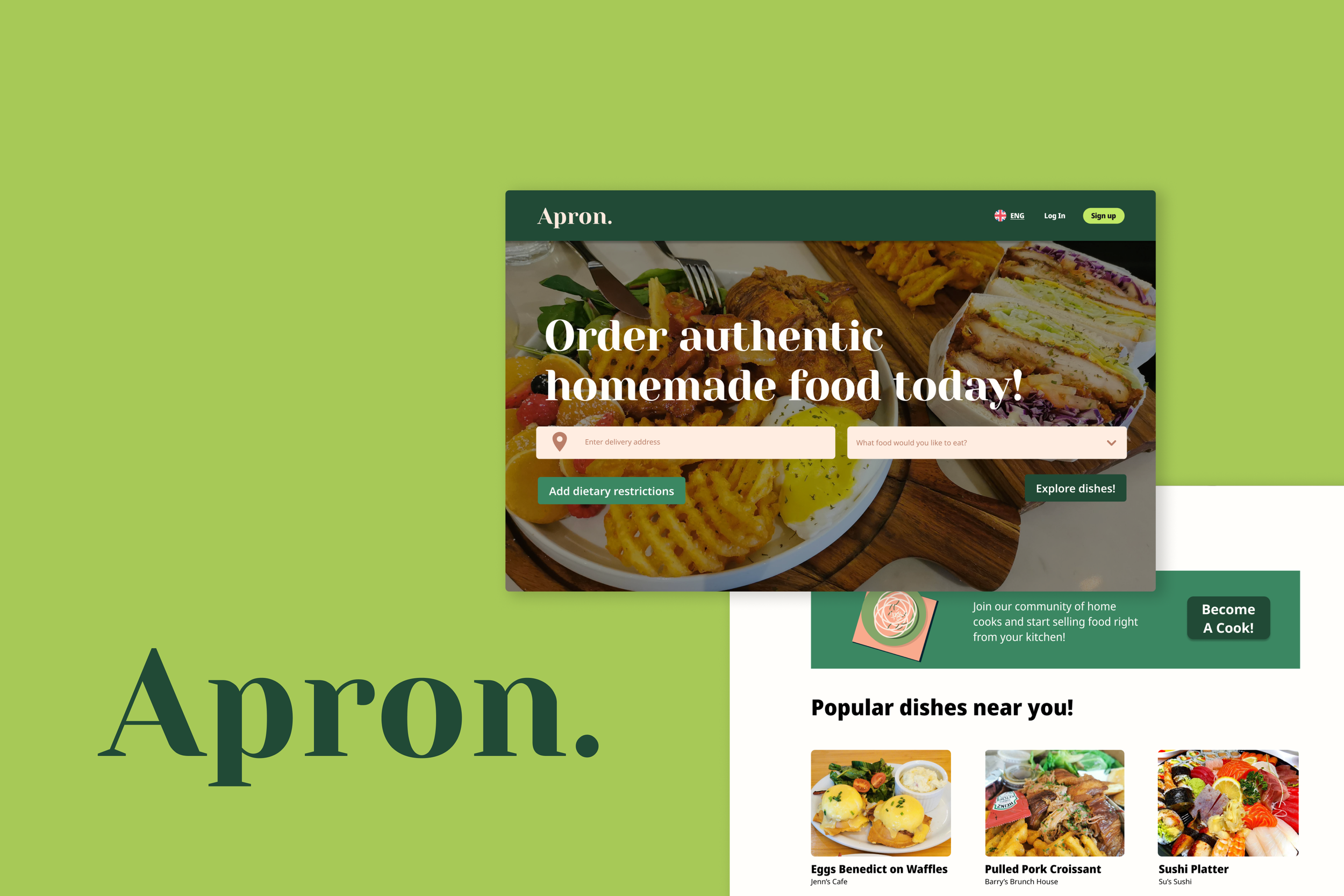

A website helping chefs sell home-cooked food online - providing a new way to share cultural cuisines and an alternative revenue stream.
Role
Within a team of 7, I was in between the UX and UI design teams. Most of my tasks involved conducting usability testing, prototyping on Figma, delegating tasks within my sub-team and designing screens.
Duration
January 2022 - April 2022
Tools used:
Figma
Iteration 1
With research and inspiration from competitor websites and food delivery applications, we developed OOTB (Out of the Box) and Runtime flows for both customers and chefs. Each person in the team was assigned to finalize a segment of the flow.
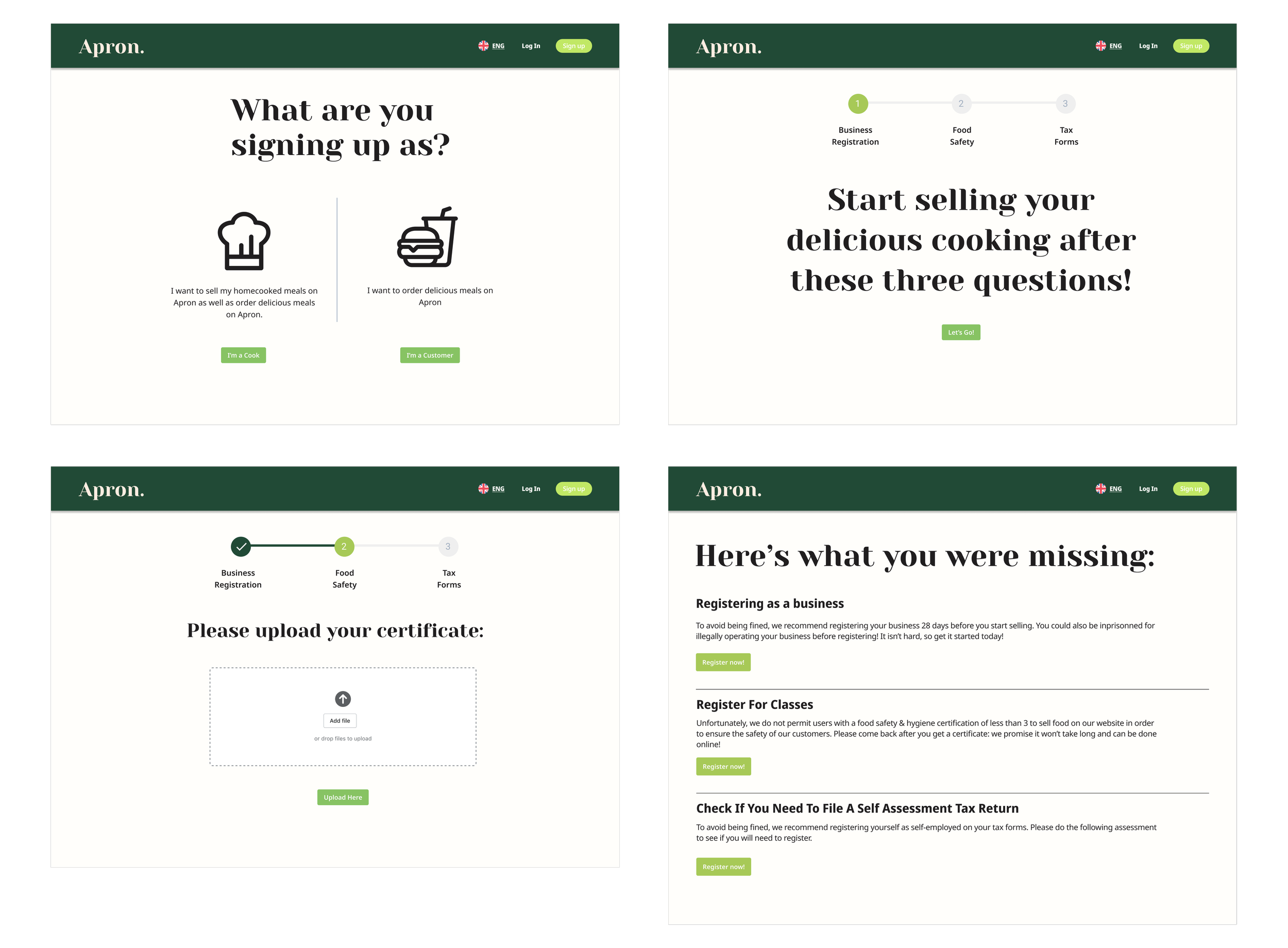
I worked on the OOTB flow for chefs, specifically the screening as I had been researching the legal side of selling homemade food since the start of the project.
User Flow
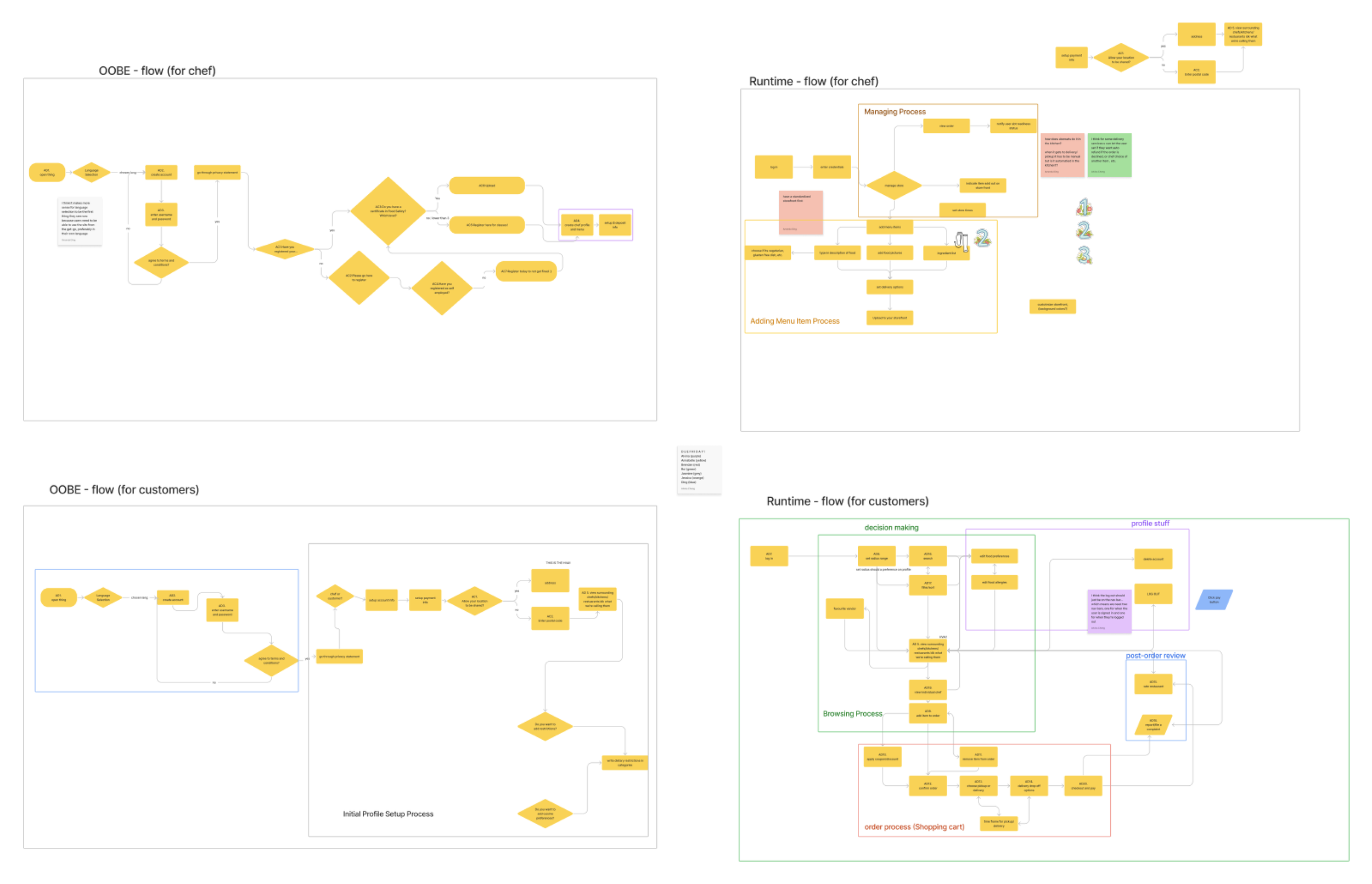
In a rush to finish the sprint, we assigned each flow to a group member which would be tasked with making it into a high-fidelity screen. We agreed to use the Chakra UI pack on Figma alongside our colour palette and font which we settled upon as a team.
The Beginnings of Branding

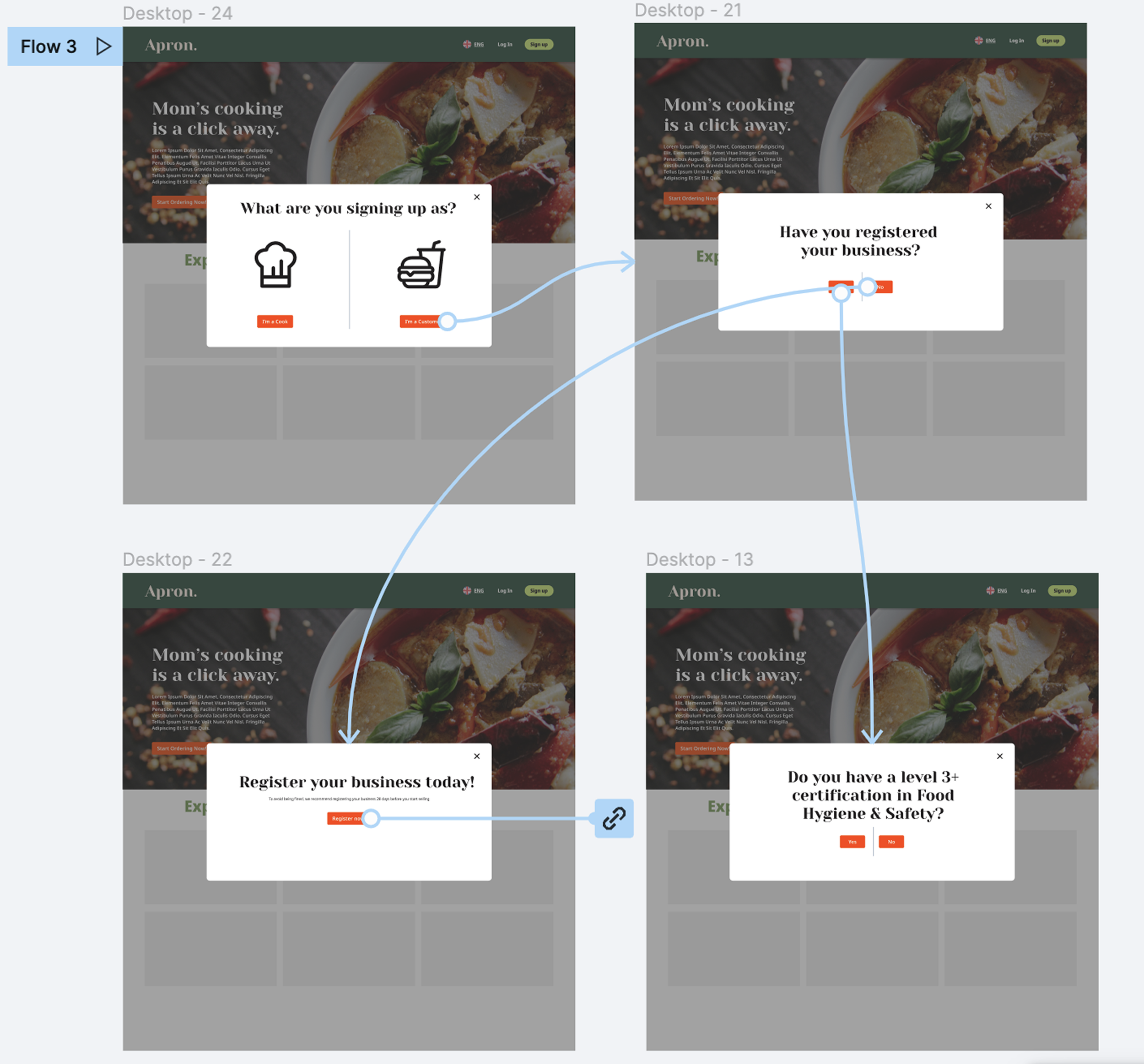
Due to the time constraints, our team divided the screens among us to work on. I took over the OOTB flow of the chef pop-up sign up pages which included the screening process and language selection due to my prior experience with the legal research. As a team, we learned the importance of dividing up the work and having a more set design guide to ensure consistency.
Prototyping Under Pressure
Iteration 2
We started off with getting feedback from others of our user flows. We split off into small groups to conduct three tests: silent observation, think aloud, and constructive interaction. Each group had one team member to conduct the test.
After these tests, I organized the Figma file, and fixed the layout of the customer runtime browse screen and landing page for customers. Additionally, I changed the OOTB for the chef sign in based on feedback we received. This included adding all the resources at the end rather than in between each screening question, adding a progress bar to see how many more steps the user had, and allowing the chef to make a non-public account afterwards if they did not pass the screening.
Usability Testing and Prototyping
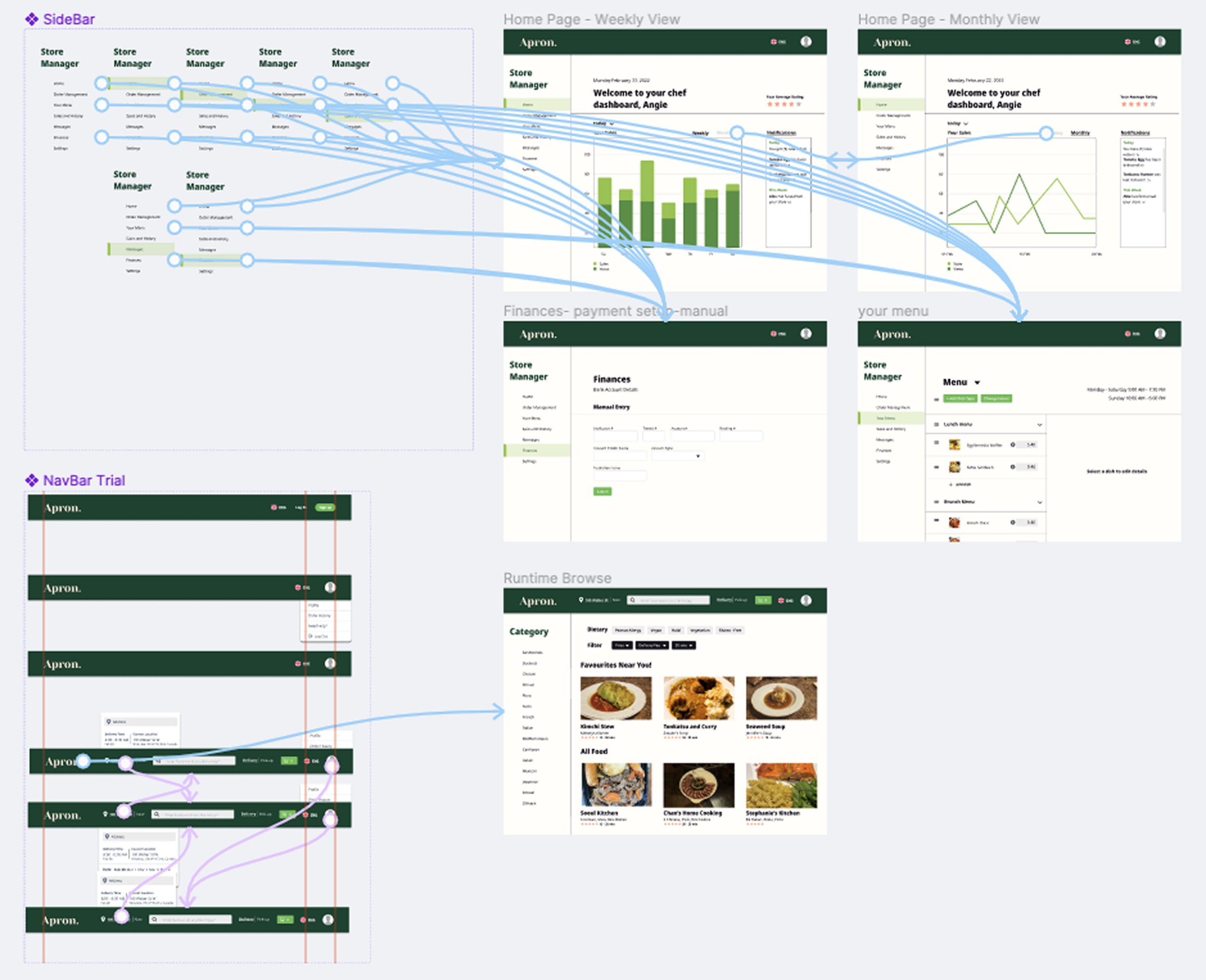
I joined the visual design team after the organization and lo-fi screens were created to speed up the progress. We were able to speed up the process of the high-fidelity screens in the chef dashboard while retaining visual consistency.
I completed the prototyping with occasional advice from the PM. I learned a lot more on how to use Figma during this iteration, including creating and swapping “instances” with the navigation bar. I also learned how to efficiently create drop down menus and hovers.
Visual Design and Prototyping
Iteration 3
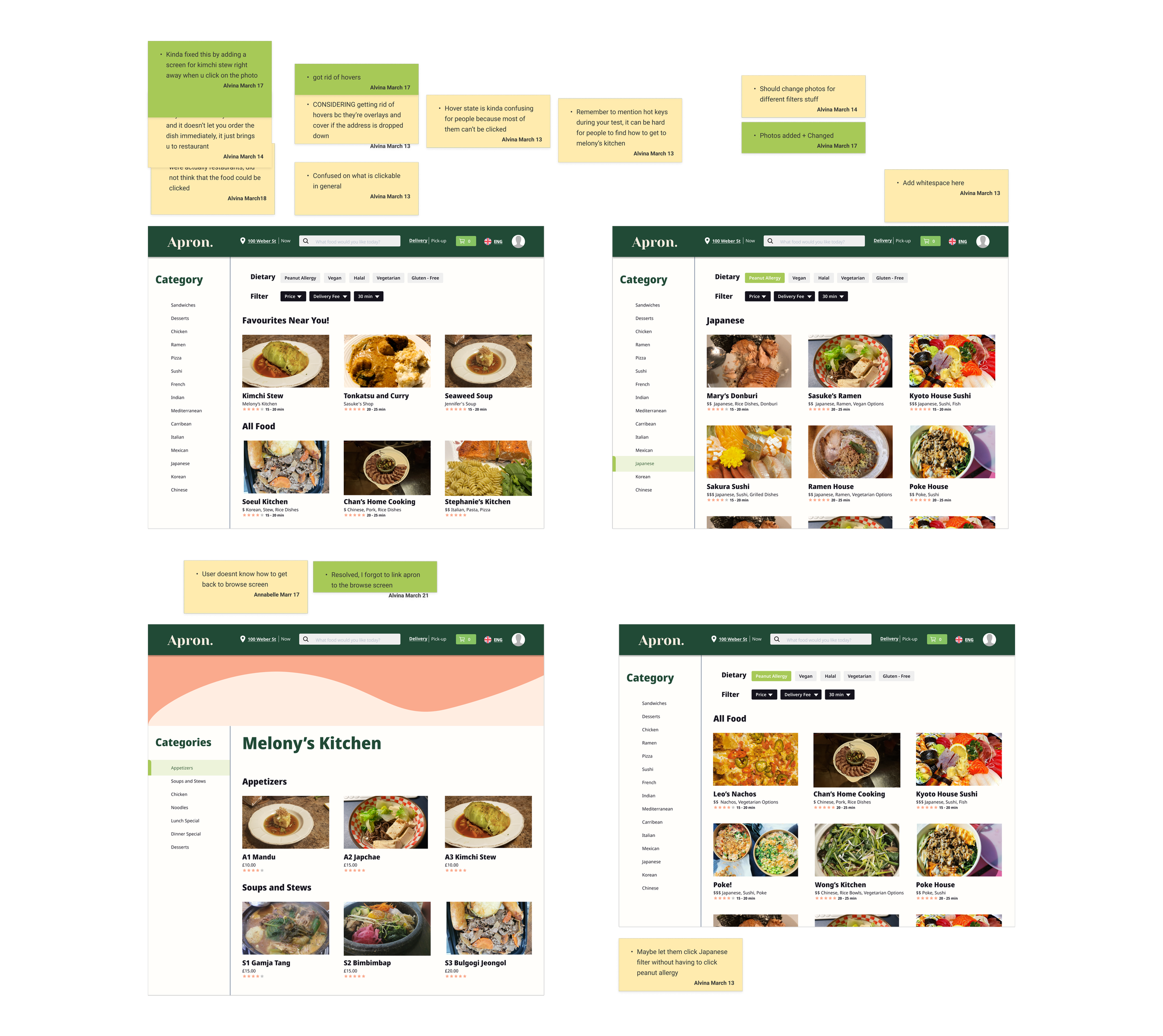
Since publishing our prototypes on user testing websites was not possible, we decided to recruit 5 people per person in the UX sub-team to test our prototype. After conducting tests, I noted the feedback on sticky notes next to each screen and fixed major issues like misaligned navigation bars, bugged overlays. etc.
Usability Testing and Quality Assurance
Prioritization & Delegation
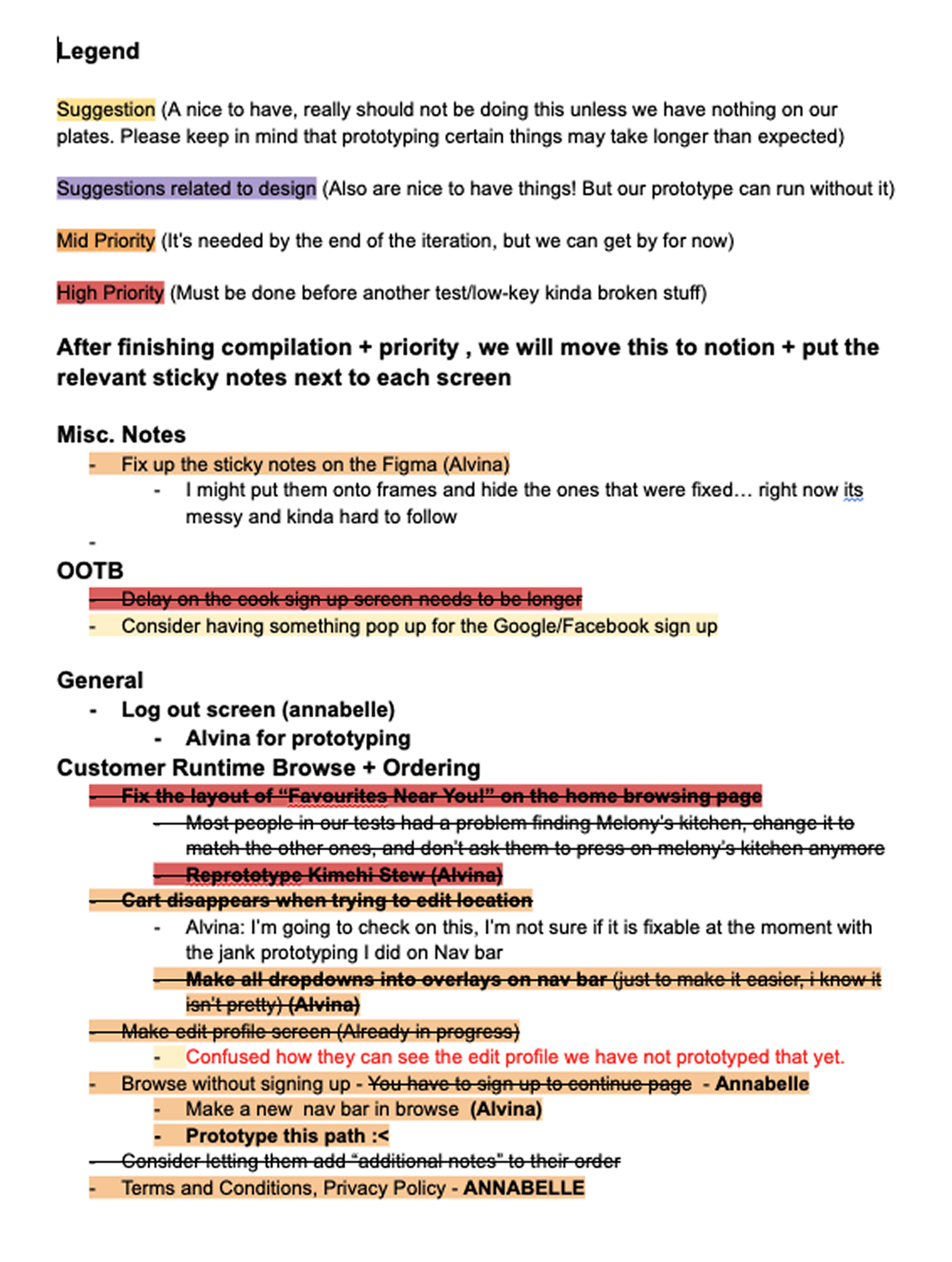
After the fix, we planned more think-aloud testing in-person on campus. This test was more standardized, with a task list and notetaker. I compiled the feedback into a document with a priority ranking and delegated the tasks to the sub-team based on their strengths. I focused on all tasks relating to prototyping due to my experience.
Considering the amount of bugs we overlooked in the previous iteration, I decided to conduct one more usability test for quality assurance with one of our group members who had not seen the prototype since the first iteration.
Final Product
We were able to create a high fidelity prototype of a website helping others sell their homemade food online.
Overall, I gained more experience with leading, prototyping, and conducting usability tests. The switching of roles helped me with advance my adaptability and the prototyping in short timeframes allowed me to learn Figma at a fast pace. Additionally, working with the team through this sprint taught me to know when to take initiative to do tasks and when to depend on others for help.
Thank you for the experience team!
Please press fullscreen on the embedded Figma document below for a more immersive experience!
More of my work
Check it out 👀
〰️
Check it out 👀 〰️